
Written by Harun Momanyi, CEO of Tranquil Media Group. He has bylines on leading publications worldwide and has been a WordPress user and advocate since 2012.
This article contains affiliate links. I may earn a commission if you sign up through them, at no extra cost to you.
I launched my WordPress blog on May 8th, 2012, without any prior experience in online content creation. I had just finished high school a few months earlier, and my biggest ambition at the time was to become a renowned digital journalist.
I had to learn by doing, and I’ll show you how to get started in 2026.
My very first “Hello, world” post still appears on the blog, and since then, I have been published in leading outlets such as Business Insider Africa, GRAMMY.com, OkayAfrica, and Msafiri magazine by Kenya Airways.
I have managed to interview award-winning celebrities globally, including Ty Dolla $ign, Yemi Alade, Sauti Sol, Samantha J and Vanessa Mdee.

Before we dive into the technicalities of starting a blog, I’ll briefly highlight my journey with a few key learnings so that you don’t make the same mistakes.
When I started, I was writing content that I thought my closest friends would like. I even interviewed some of them for the blog. I wanted to be praised, complimented and feel seen.
First things first
This is the first mistake creative people make when starting out, be they musicians, TikTokers or even car reviewers on YouTube. They don’t think of creating content that actually serves a wider audience.
You can learn which kind of content your magazine would thrive with by doing what we call audience research. Once you decide on what you’d like to write about (I’ll touch on niches shortly), you need to do a survey.
You can create a list of questions for random people to find out what kind of content they enjoy, when they consume it, and why. Try not to ask leading questions…ask to know, not to confirm. Here’s a brilliant short article on how to do audience research for your target audience.
Once you have validated your assumptions on the kind of audience you’re targeting and your type of content, you’re free to move to the next stage: settling on a niche.
The first thing I’d do in 2026 if I were to start an entertainment magazine on WordPress is to decide on a niche. The industry is broad, so you have to be clear about what you want. Is it music or film? Do you want to do celebrity gossip or just Q&A interviews? Is it a blended mix of both? Is it a fully fledged publication covering several topics?
You can go deeper and decide on your geographical coverage, whether it’s a daily news outlet or something you publish bi-weekly or monthly.
One thing I learned after starting my WordPress blog is that quality matters over quantity. The same is true to date. In the age of AI, people are turning to Claude, ChatGPT, or even Gemini to find more answers to their questions. Any chatbot you can think of.
These AI tools often cite content sources they find helpful and useful, so if you want users to find your blog easily, focus on the quality.
The other thing I’ll highly suggest is creating a content calendar. This will help you stay on your toes by knowing what you will publish, when, and why. This can be thematic (e.g., Fridays could be for long-form interviews that people can enjoy over the weekend).
Mondays could be for snappy, inspirational pieces that people can skim through on a busy workday.
Now, WordPress offers two options. WordPress.org is for self-hosted websites that require some technical knowledge to get up and running. WordPress.com, which I recommend to beginners, has everything you need. That is what I’ll focus on.
Setting up your WordPress.com account
Head over to WordPress.com and click “Get started”. You'll create an account using your email address, a username, and a password. Then you'll be asked to pick a domain name. Don't overthink this. Keep it short, clean, and close to your magazine's name. If your preferred domain is taken, try a variation. Avoid adding numbers or hyphens; they make it harder to say out loud.
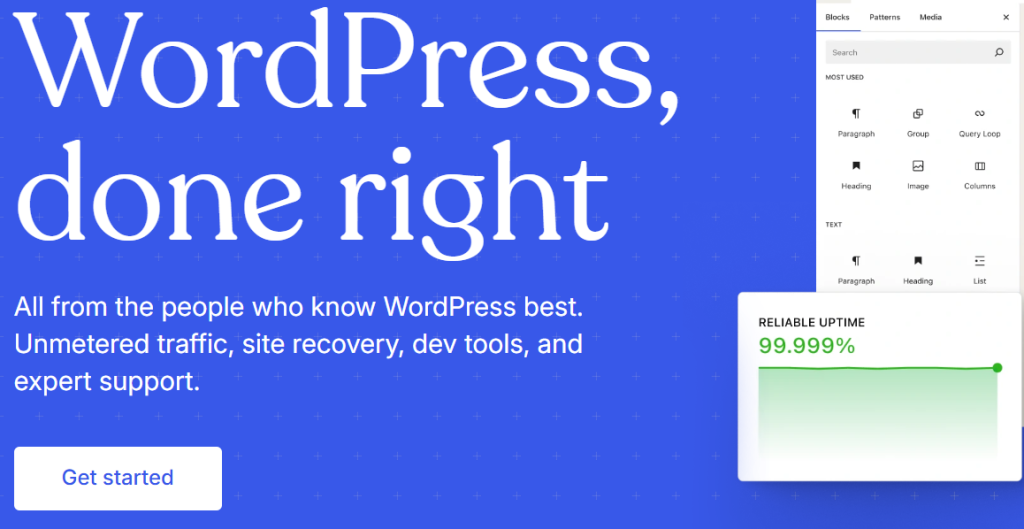
The WordPress homepage
Once you've registered, WordPress will ask you what kind of site you're building. Pick “Blog” or “Magazine,” depending on what the prompt offers. This helps the platform surface relevant theme suggestions.
Picking a plan
WordPress.com has three plans most creators should consider: Personal at $4/month on annual billing, Premium at $8/month, and Business at $25/month. All three now include access to plugins and themes, which wasn't the case until earlier this year.
Personal works if you're just getting started and want to test your idea without spending much. You get a custom domain for the first year and an ad-free site.
Premium adds payment buttons, VideoPress for video hosting, and advanced analytics, which matters once you're running sponsored content or tracking how your audience moves through the site.
Business gives you full plugin access, advanced SEO tools, a staging environment, and 50GB of storage. That's where I'd want to be within the first six months of running a serious publication.
Check out the WordPress.com hosting plans here to compare what each tier includes before committing.
Choosing a theme
Go to Appearance, then Themes. Search for “magazine” in the theme library. You want a theme that puts your featured content front and centre, has a clean header where your logo sits naturally, and handles both articles and category pages well.
Themes like Newspack, Blockbase, and Argent have worked well for editorial sites. Don't go chasing the most visually complex theme you can find. Your content is the product. The theme is just the shelf it sits on.
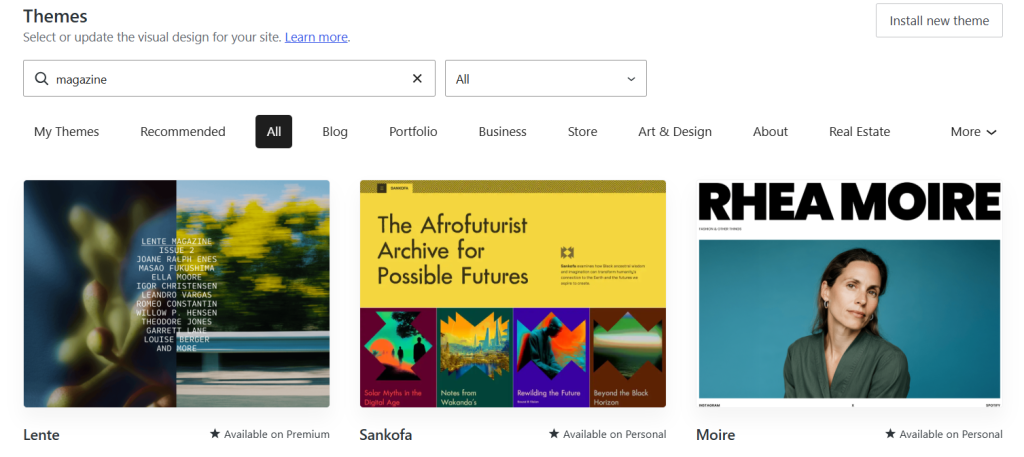
Search results of a “magazine” theme on WordPress Themes section
Once you install a theme, spend time customising it through the Site Editor. You can change your fonts, color palette, header layout, and footer without touching a single line of code.
Building your site structure
This is where most new publishers make a mistake. They jump straight into writing without setting up the architecture first. Here's what you need before you publish anything:
Create your core categories. If you're running an entertainment magazine, those might be Music, Film, Interviews, and Opinion. Categories become your navigation menu and your URL structure. Set them up properly from the start.
Then go to Settings and update your site title, tagline, and time zone. Set your homepage to display a static page rather than your latest posts, so you can control what readers see first.
Set up an About page and a Contact page. These two pages alone add credibility to any publication. Readers want to know who's behind the content, and brands who might want to work with you need a way to reach you.
Dealing with spam
The moment your site starts getting traffic, spam comments will follow. I use Akismet Anti-spam, which is built by the same team behind WordPress.
It runs quietly in the background and catches the vast majority of junk without you having to moderate comments manually. For a magazine where community interaction matters, this saves you a lot of headache.
Your first few posts
Don't launch with one article. Write at least four before you go live. Three content pieces and one About page gives your site the feeling of an actual publication rather than a work in progress.
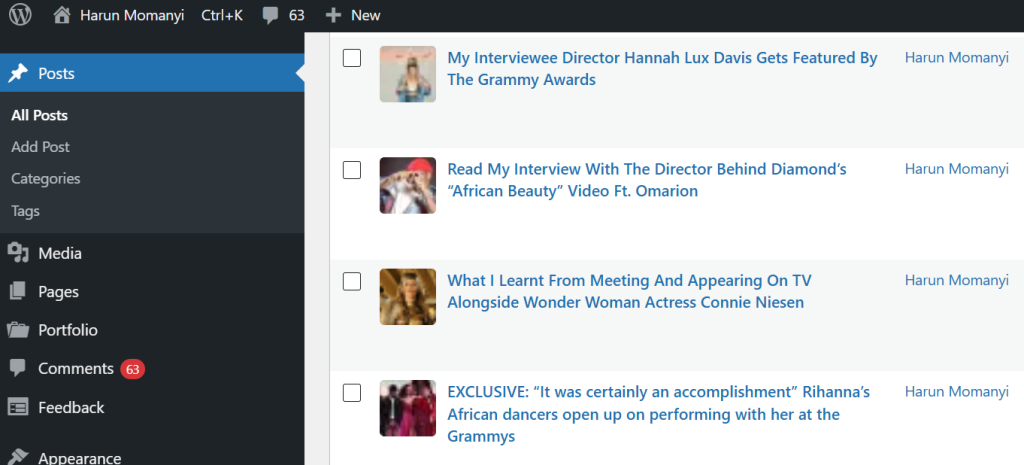
The posts section on a WordPress.com dashboard
Key WordPress.com limitation
WordPress.com does have one real limitation worth knowing about. Until very recently, installing third-party plugins was locked behind the Business plan, which meant beginners on cheaper tiers had to work within a fairly restricted ecosystem.
That changed in April 2026, but even now, the free plan still displays WordPress.com ads on your site, which undercuts the professional look you're trying to build.
If you want full control over your site's code, custom server configurations, or very specific technical plugins, WordPress.org on a self-hosted setup gives you more room to manoeuvre.
WordPress.com trades some of that flexibility for simplicity, and for most people starting out, that's a reasonable trade. But go in knowing it exists.
Go for it
When I launched my WordPress blog in 2012, I published whatever came to mind. In hindsight, I should've launched with a clear editorial statement and a handful of pieces that showed readers exactly what the magazine would be about.
Your first post doesn't have to be perfect. Mine certainly wasn't. But it should be honest, specific, and clearly positioned within your niche. That's what keeps someone on the page long enough to come back.
For developers building on top of WordPress, developer.wordpress.com has the full API documentation and tools you'll need for more advanced customisations down the line.
Starting an entertainment magazine is about showing up consistently with content that your audience actually wants to read. The platform handles the infrastructure. The rest is on you.