

At Tranquil Media Group, we get a steady stream of client questions by email and phone.
Since our team is small, things can get overwhelming when we're handling client briefings, creating content, and traveling to events around the world.
That's why we chose to automate some client interactions. We wanted to keep things personal, but also improve our customer service.
If a client wants to know what we do, how to reach us, or what our pricing packages look like, they can now find that information in the Lyro AI Agent by Tidio we recently implemented.
When we tested it, the agent was quick and easy to use, and the interface looked good. Now, customers don't have to call us or open a support ticket for simple questions.
What Tidio actually is
Tidio combines live chat, an AI agent builder called Flows, and an AI agent named Lyro in one dashboard. It works across your website, email, Instagram, Facebook, and WhatsApp.
The idea is simple: save time and keep leads from slipping through the cracks. Over 300,000 businesses use Tidio, mostly smaller teams that don't have a full support staff.
How to get started with Tidio
We thought setting it up would take all afternoon, but it didn't. Here's what we actually did, step by step.
1. Sign up and land on a real trial. Tidio doesn't put you on a stripped-down free tier by default.
You get a 7-day trial with all features unlocked, including the omnichannel agent, visitor info, live typing, unlimited Flows, and unlimited human chats. That gave us everything we needed to really test the product.
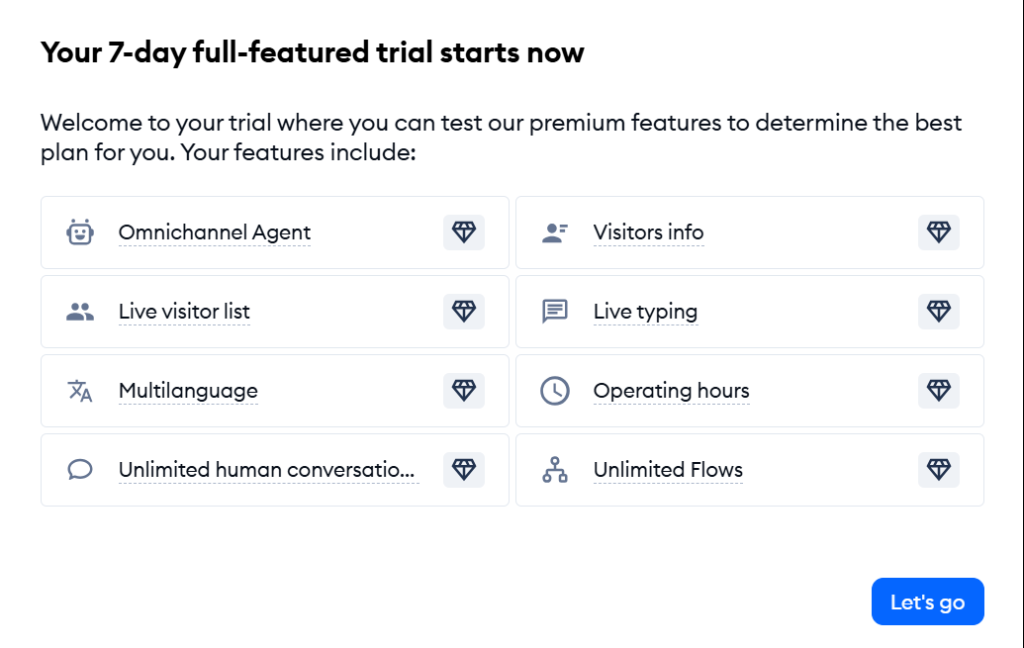
Free trial confirmation after signing up
2. Go through the first-steps checklist. Tidio gives you a short onboarding list: set up your main channels, start collecting leads with Flows, tour the Inbox, and add your content for the AI Agent.
Free trial confirmation after signing up
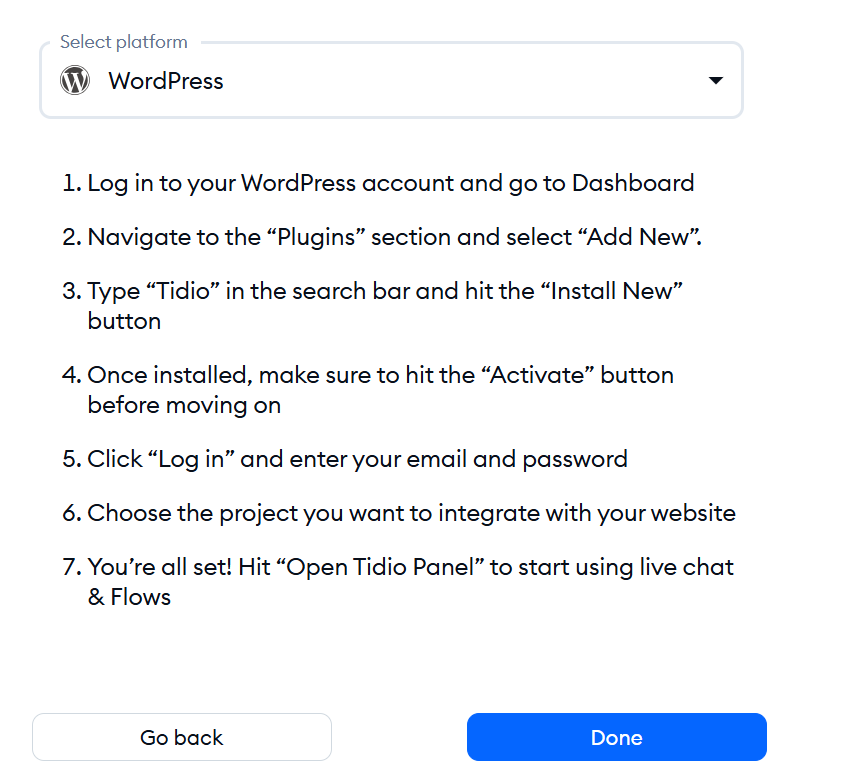
3. Install the WordPress plugin. There are seven steps: log into your WordPress dashboard, go to Plugins, search for “Tidio,” install and activate it, log in with your Tidio account, pick your project, and click “Open Tidio Panel.” You don't need to code, use FTP, or wait for a developer.
4. Pick the project you're integrating. Tidio asks which site you're connecting. Ours showed up as tranquilmediagroup.com right away, no manual entry needed.
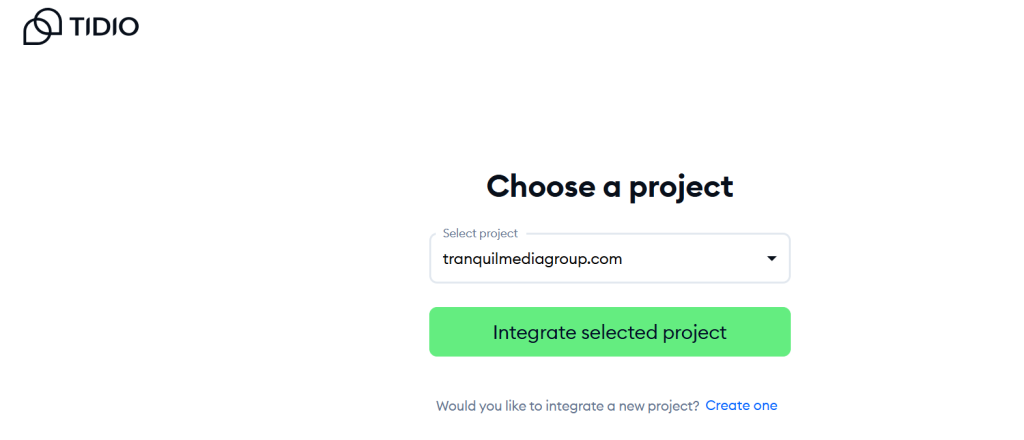
The WordPress plugin helps you choose the project you want to integrate
4. Make sure the widget is live. About a minute after finishing the plugin steps, Tidio lets you know the integration worked and the widget is now on your site.
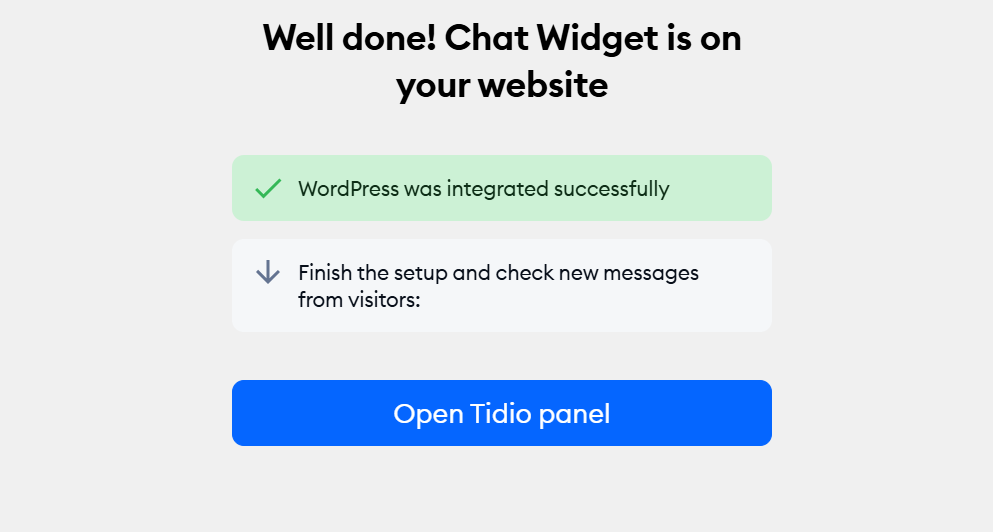
Set up success!
Total time from signup to a working chat widget on tranquilmediagroup.com: under fifteen minutes, most of it spent reading rather than waiting.
The Lyro question
For a small team like ours, Lyro is the most important part of Tidio. It's designed to handle things while we're busy writing, editing, or traveling to our next event.
Tidio trains Lyro using your own content, website pages, help docs, and FAQs. It responds in natural language, not just with scripted answers.
The main number Tidio shares is a 67% resolution rate. They define this as the percentage of conversations solved to the customer's satisfaction, with no follow-up needed within 15 minutes.
This is a real number, not just marketing, but it's important to read the definition carefully before thinking it means 67% of your inbox will disappear.
One thing we noticed during our research: Lyro uses Anthropic's Claude instead of the more common OpenAI platform that most competitors use.
Tidio says Claude was designed to be helpful, honest, and safe. This means it usually gives more reliable answers and is less likely to make things up if it doesn't have a clear answer.
Our first real test wasn't about partnerships. Instead, we wanted to see if Lyro could help grow our newsletter list by itself.
We tried the default subscribe flow during a test visit. Lyro started with a promotions offer, asked if the visitor was interested, and then requested their email as soon as they agreed. It even answered questions about our company.
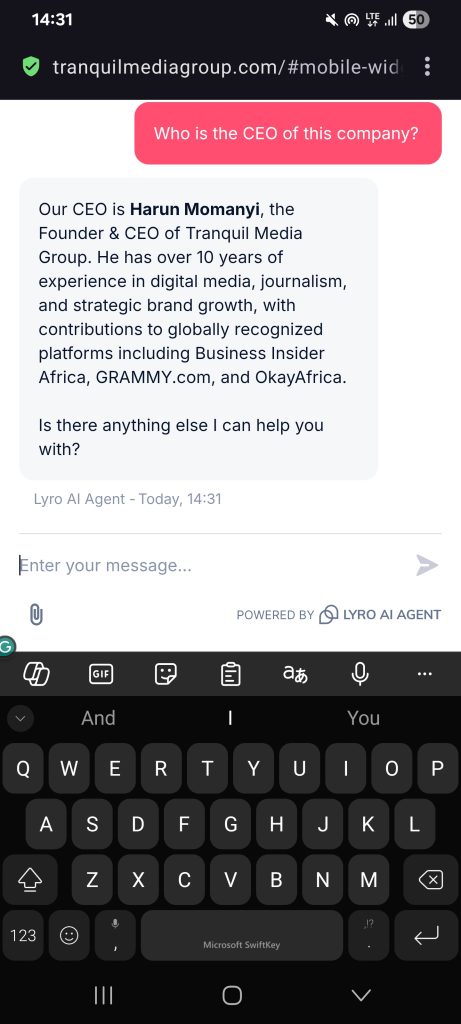
Our AI agent in action
It's a small interaction, but it's exactly what we need for our three publications: Career Signals, Backstage Business, and The Verdict. Each is still building its subscriber base, so every visitor who leaves without subscribing is a missed opportunity.
Having Lyro ask for an email automatically is more valuable to us this quarter than automating partnership inquiries.
What it looks like in practice
Most of Tidio's case studies are about e-commerce, but one that stood out to us as a B2B content company was Pastreez. This French macaron startup used Tidio's chat to land partnerships with Netflix, Google, Visa, and Snapchat, and turned 70% of chat inquiries into orders.
That's similar to what we need, not just answering order questions, but catching partnership inquiries right away so they don't get lost in the inbox.
Bella Santé, a med spa group, said 75% of their live chat inquiries were resolved automatically, and they made $66,000 in sales with help from the agent. It's a different industry, but the same idea: you need fewer people to handle the same number of conversations.
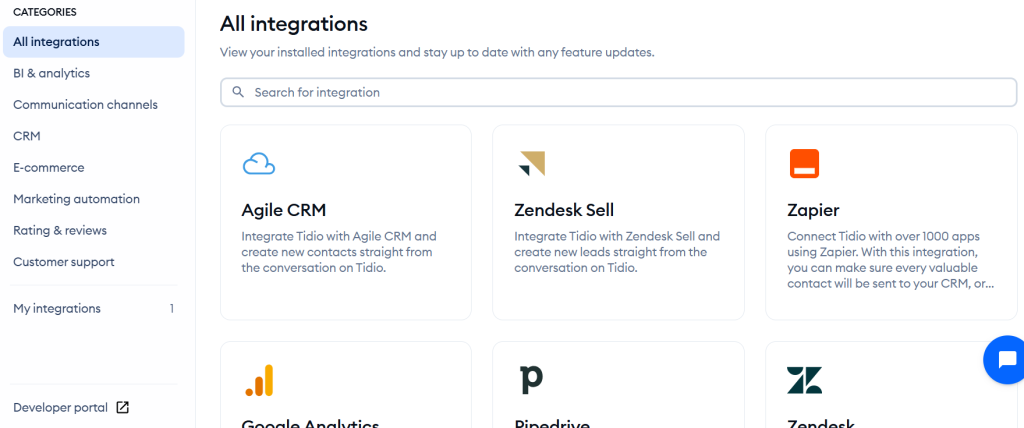
Tidio allows you to have tonnes of integrations with your favorite platforms
Pricing
The core plans are Starter at $29/month, Growth from $59 to $349/month, Plus at $749/month, and Premium starting around $2,999/month, all billed on conversation volume rather than seats.
Lyro AI and Flows aren't included in the main plan. Each starts at about $39/month and $29/month. So, if you use both AI and automation, your monthly cost will likely be closer to $100–$200.
Every plan includes the first 50 Lyro conversations for free, so you can really test it before deciding to pay for more.
Going forward
For a small company like ours, running three publications with a small team, the main draw of Tidio is knowing that a partner inquiry or reader question won't just sit in the inbox waiting for someone to respond.
Seeing Lyro ask a visitor for their email on its own during our first test was more convincing than any 67% statistic.
If you want to try the same test on your own site, Tidio's free plan lets you see if it's a good fit.